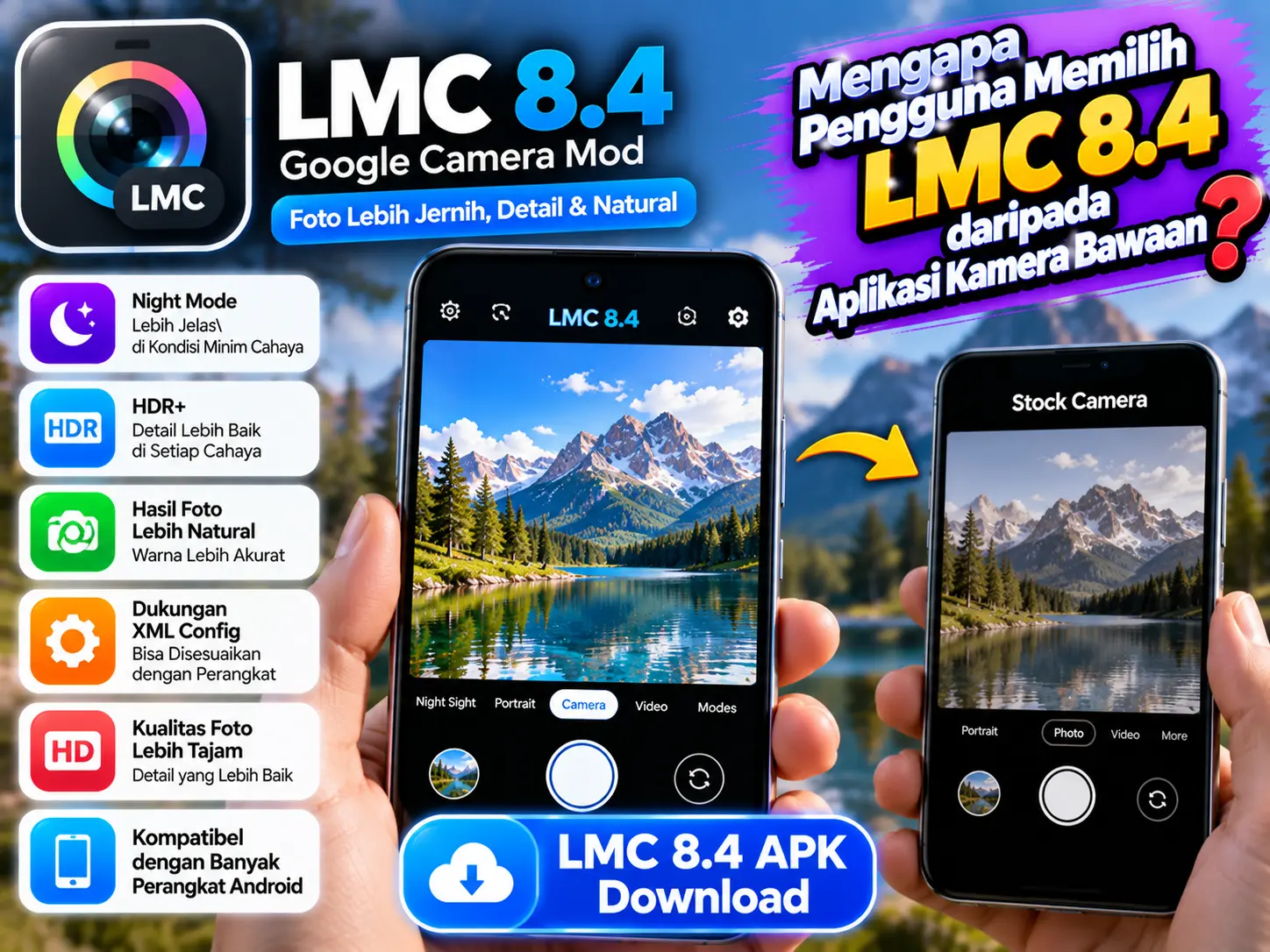
Smartphone cameras have improved significantly, but the default camera app does not always provide the level of control that photography enthusiasts want. This is one reason many Android users explore alternative camera applications, including LMC 8.4.
LMC 8.4 is a Google Camera (GCam) modification associated with enhanced image processing and additional photography controls. Depending on the version and device, it may offer options that are unavailable in a phone’s stock camera app.
However, LMC 8.4 is not automatically better for every phone or every user. Its performance depends on hardware compatibility, configuration settings, and the quality of the available build.
In this article, we will explain why users choose LMC 8.4, how it compares with stock camera apps, and what you should consider before installing it.
What Makes LMC 8.4 Different From Stock Camera Apps?
Stock camera apps are developed by phone manufacturers to work with specific hardware. LMC 8.4, on the other hand, is a third-party camera port that offers additional image-processing and customization options on compatible Android devices.
Better Control Over Image Processing
One major reason users choose LMC 8.4 is the ability to adjust how photos look.
Depending on the build and configuration, users may be able to fine-tune exposure, contrast, saturation, white balance, and noise reduction. These options help photographers experiment with different styles.
Stock camera apps also offer editing and manual controls, but the available options vary by manufacturer and phone model.
Who benefits most?
Photography enthusiasts who enjoy experimenting with colors and details may appreciate LMC 8.4 more than users who prefer automatic settings.
Improved Low-Light Photography
Taking photos at night can be challenging. Poor lighting often creates dark shadows, visible noise, and blurry details.
LMC 8.4 supports Google Camera-style computational photography features on compatible devices. Depending on the build, these can help combine image information and improve the appearance of low-light photos.
However, results are not guaranteed. Your phone’s sensor, lens, processing capabilities, and selected configuration all affect the final image.
Some stock camera apps already provide excellent night modes, especially on newer flagship phones.
HDR and Highlight Control
High Dynamic Range (HDR) photography helps balance bright and dark areas in the same image.
For example, when you photograph a person standing in front of a bright window, the background may become overexposed while the person’s face appears too dark.
LMC 8.4 offers image-processing options that may help preserve more detail in challenging lighting conditions. The results depend on the device and settings.
Users who frequently photograph landscapes, buildings, or backlit subjects may want to compare its HDR output with their stock camera.
Custom XML Configuration Files
One of the most appealing features of LMC 8.4 is support for XML configuration files.
These files store groups of camera settings that can be loaded into compatible versions of the app. A suitable configuration may adjust color reproduction, noise reduction, exposure, and other processing parameters.
Why are XML files useful?
Instead of changing every setting manually, users can try a configuration designed for their particular phone model.
However, XML files are not universal. A configuration created for another device or LMC build may produce poor colors, crashes, or other problems. Always choose a compatible configuration.
Portrait Photography and Natural-Looking Details
Portrait photography is another reason users experiment with LMC 8.4.
Depending on the device and configuration, it may produce appealing background blur, skin tones, and facial details. Users can compare the results with their stock camera’s portrait mode to see which style they prefer.
Neither application will deliver identical results across every phone. The stock camera may handle edge detection and camera-specific features more reliably because it is designed for the device.
More Options for Photography Enthusiasts
Some LMC 8.4 builds include advanced settings for exposure, focus, noise reduction, and other image-processing parameters.
These options can help experienced users adjust the camera for different shooting conditions.
The trade-off is complexity. Changing settings without understanding their effects can make photos look worse or cause the app to behave unexpectedly.
Beginners should start with default settings and make small adjustments only when necessary.
LMC 8.4 vs. Stock Camera: Which Is Better?
| Feature | LMC 8.4 | Stock camera |
|---|---|---|
| Image customization | Often extensive | Varies by phone |
| Night photography | Can perform well on compatible devices | Often reliable |
| XML configurations | Supported by compatible builds | Usually unavailable |
| Hardware integration | Device-dependent | Usually excellent |
| Ease of use | May require setup | Usually simpler |
| Stability | Varies by build and phone | Usually more consistent |
The key difference is flexibility versus convenience. LMC 8.4 gives users more opportunities to experiment, while the stock camera usually offers a more integrated, straightforward experience.
Are There Any Disadvantages to LMC 8.4?
Yes. Before installing it, consider these limitations:
- Compatibility issues: Some phones may experience crashes or black screens.
- Setup requirements: You may need a compatible APK variant and XML file.
- Lens limitations: Auxiliary cameras may not work correctly on every device.
- Security considerations: LMC 8.4 is a third-party port, so download it from a trustworthy source.
- No guaranteed improvement: A stock camera may produce better results on some phones.
For safer installation, avoid modified files from unknown websites and review the permissions requested by the application.
Should You Choose LMC 8.4 Over Your Stock Camera?
Choose LMC 8.4 if you enjoy photography, want additional image-processing controls, and are willing to test different settings. It can be particularly interesting when your stock camera struggles with certain lighting conditions.
Stick with your stock camera if you prioritize quick captures, dependable performance, video recording, and seamless access to manufacturer-specific features.
The best approach is to photograph the same scene with both apps using similar settings. Compare detail, colors, shadows, skin tones, and processing speed before deciding which one suits your needs.
Frequently Asked Questions
Is LMC 8.4 better than every stock camera?
No. Results depend on the phone, camera hardware, software version, and settings.
Does LMC 8.4 work on every Android phone?
No. Compatibility varies. Check your device’s Android version, Camera2 API support, and the requirements of the specific build.
Do I need an XML file to use LMC 8.4?
Not always. Some builds can work with default settings, but a compatible XML configuration may improve results on certain devices.
Conclusion
Users choose LMC 8.4 because it offers more customization, computational photography options, and XML configuration support than many standard camera apps. These features can make photography more flexible, especially for people who enjoy fine-tuning their images.
Still, LMC 8.4 is not automatically superior. Test it on your particular phone and keep the stock camera available as a reliable alternative.